BusinessChat Platform is a flexible environment; the user can easily switch from Arabic to English and vice versa.
Supported BusinessChat Interface languages
BusinessChat Platform Supports the following languages:
English
Arabic
Changing BusinessChat Interface language
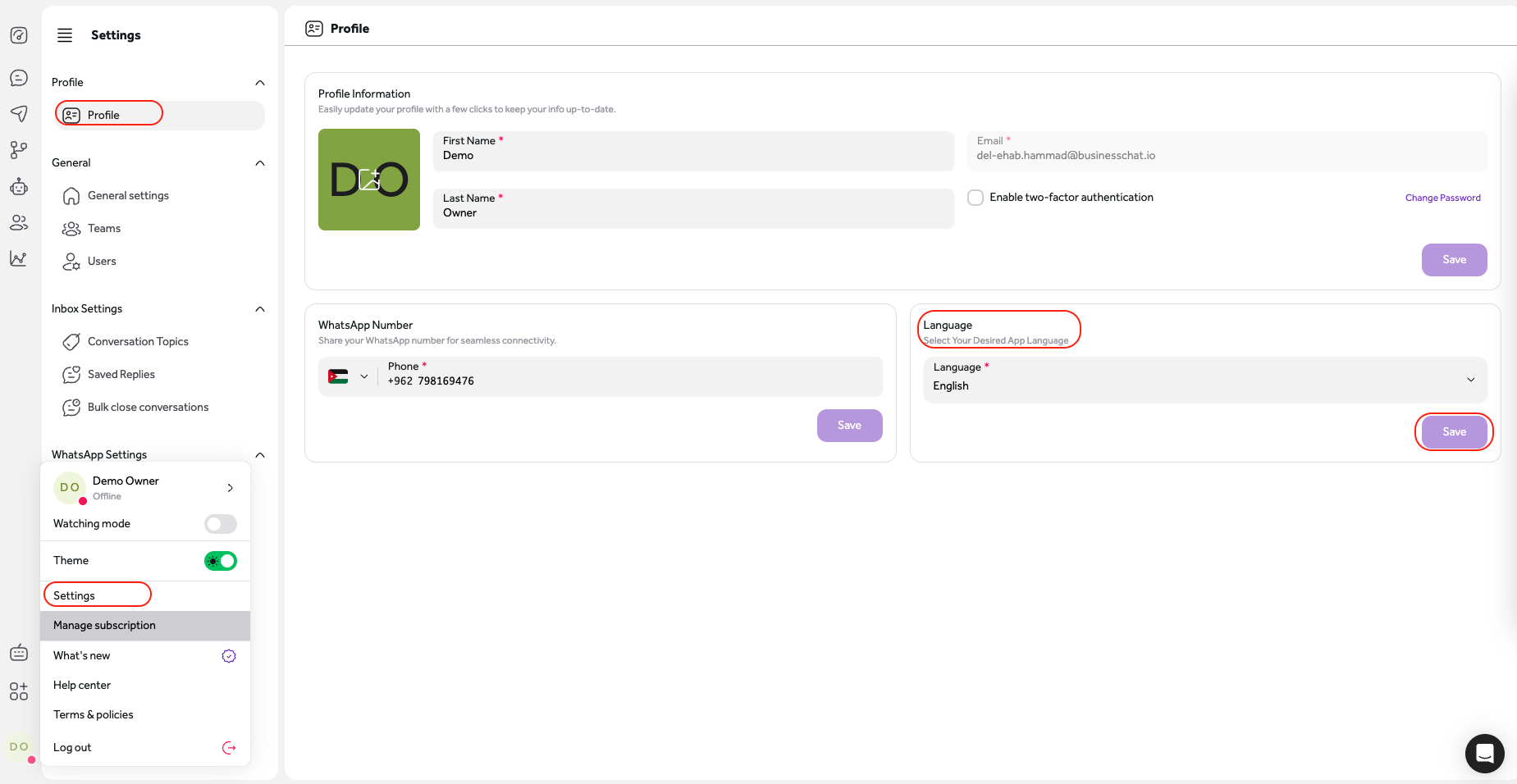
1. Go to the BusinessChat platform and click on your avatar.
2. Click on the Profile option from the list.
3. Select Language, then chooses from the drop-down list the desired language.
4. Finally, click Save Changes, to save your changes.